Posts

New release: the Summer mirror box (cubic and rectangular)

Image
Today I'm releasing a new mirror box with 50 new non-Winter scenes. This mirror box is available in a cubic end a rectangular shape. For creating the scenes (all done inside Second Life, using my own creations) I've mostly used my latest Mega sim surrounds as a backdrop: Alpine Ridge, Mount Fuji, Cuesta Galore and Tarn Valley. There are Spring, Summer and Autumn scenes. Most are daytime and sunset scenes, and some are nighttime scenes. Just go through them to see what you like. These new Summer boxes make use of Experience tools to automatically let you and your friends enjoy environment settings that match the current scene. You should switch this feature on in the Options menu of the mirror box, allow the "Mirror and Backdrop Box Environment Settings" on your land/region and you should enable the Use Shared Environment option in your viewer.  When you click through all scenes your settings will change accordingly. On top of this feature, you will also find the match...

A rectangular edition of the Winter Mirror Box

Image
 A few weeks ago we introduced the Winter edition of the mirror box. All mirror boxes have been square upto now. Over the last few years, however, many people asked for rectangular ones because they would better match the long shape of their land. We're now releasing a rectangular edition or the Winter mirror box. They available sizes are 16 x 32 m (Plus member parcel size, 512 m), 24 x 48 m, 32 x64 m (1/32 region), 64 x 128 m (1/8 region) and 125 x 250 m (close to 1/2 region). Here you can read about the functionality and options the Winter mirror box has to offer. Please visit this demo place at Landscapes Unlimited to have a look and get your own copy or take a free demo.

A Winter edition of the Mirror Box

Image
The holiday season is coming to Second Life! This new Winter mirror box will make a pretty backdrop for your Winter season build. It's easy to set up, and it comes with a few new features that will make your experience so much better. It contains 23 different scenes, ranging from day to night and from bright to cloudy. After putting it in place it should be easy to find a scene that best matches your wishes. Its ice floor can be changed from clear to fully snow covered. Because of the mirror box effect, the ice looks like it perfectly reflects all the light of its surroundings. The mirror box comes with snow covered mesh islands. When you drop them inside your box they will move to the ice level, and then you can move them to the right spot.  In your folder you will also find a snow add-on. Drop this one inside your box (it moves into place by itself) and you will see snow gently falling close to the walls of the box. The snow add-on can be customized to your wishes: let is now lig...

Mega Northern Lights for islands in Second Life

Image
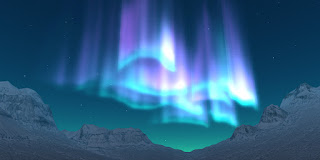
Earlier we released northern lights for 1/4 sim corner parcels , to go off-sim in front of your waterfront parcel. Now we're releasing a mega edition, meant for single island regions or island continents. The northern lights come in two layouts. One stays more or less in one place and runs from the horizon to almost above the sim. This layout is perfect for placement in a valley in your surrounding landscape.  The other one slowly moves all around your region(s), and will on some times be visible close to the horizon and on other times high in the sky. The northern lights gradually change colors and their shape changes constantly, similar to what you would see in real life. A menu helps you change the appearance of the northern lights. The northern lights go very well together with all sim surrounding landscapes in SL. It also combines wonderfully well with the Starry Night . You can purchase a copy of the Northern Lights or collect a free demo in our inworld store .

Releasing The Arctic Mountains

Image
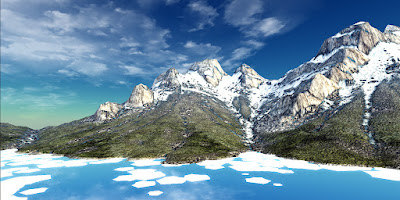
We're presenting our next Mega landscape : the Arctic Mountains. It's a treeless surround, and in all 12 texture sets (selectable by using the HUD) there is at least some snow on the mountain tops.  This mega off-sim landscape comes in three editions: one is meant for one region with water around, and two are meant to connect to your region's land without any water surrounding your sim terrain To complete the arctic nature of this surround we've added a sea ice object. It shows ice floes close to the surround. The surround can be completed by the separately available off-sim snow and off-sim northern lights. What a glorious Winter this will be! Get your copy or a free demo here in our inworld store.

Let it snow!

Image
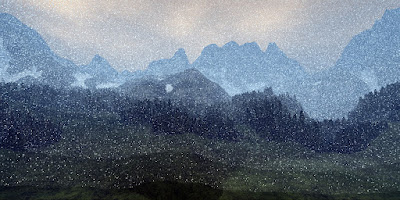
We're releasing an off-sim snow system in Second Life. From now on you can have snow falling, not only on, but also outside your island region. This snow system comes in three editions: one covering 1/4 of your surroundings, one covering half and one going all around your region. A fat pack has them all three. You can adjust its appearance easily by using a menu that pops up when you drop a new copy, when you touch the falling snow for one second, or when you click its remote control. The snow can be very dense, with large flakes, very light with small flakes and every variation in between. The snow can blow sideways or twirl down gently. The systems can rotate around your region as well, so it can look like snow showers passing by. You can use a few copies with different settings to get a very natural, interesting effect. You won't be able to keep your eyes off of the flakes gently falling down on your snowy surround... The off-sim snow works well with all off-sim landscapes. ...

New release: Northern Lights for 1/4 sim corner parcels

Image
Today we're releasing our first Northern Lights (or Aurora Borealis). They've specifically been made for 1/4 sim corner parcels on island regions. They are visible only in front of your parcel, high above the water or above your off-sim corner landscape (also plenty available in our store!).  They also go very well together with the Starry Night for corner parcels. The lights move slowly along the sky, and their pattern gradually changes, only repeating itself (but with different colors) after at least 45 minutes. A menu allows you to change the glow and transparency of the Northern Lights. You can also allow group members to access the menu. We've added a pack of EEP environment settings for a pretty sunset or night scene. We have plans to release other editions of the Northern Lights within a few weeks. First on the list will be a MEGA edition for complete regions or even connected regions (2x2 max). Stay tuned for more information! The Northern Lights will be discounted ...

Starry Night for Corner Parcels

Image
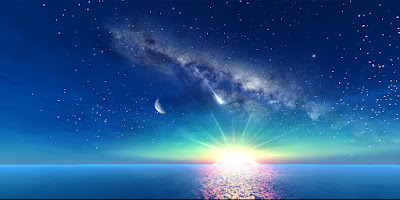
Two years ago I released the Starry Night system for island regions. In a short time it became quite popular in Second Life, and it still is. Ever since its release people have asked for a smaller edition that could be used on 1/4 sim corner parcels. It took a while, but here it is (marketplace) ! Like the original star system, this system has stars, the Moon, the Milky Way and meteors shooting in random directions. On top of that, I've added colorful prims to enhance your horizon. By using a menu you can change their colors and intensity to your environment settings. Also, there are various options to choose from for the appearance of the Moon, Milky Way and the meteors. The Starry Night system comes with 27 customizable EEP environment settings, prepared for your specific corner, of which 22 are sunset settings and five nighttime settings. Apply them to your parcel or only to yourself. This system is specifically made for 1/4 sim corner parcels (128x128 meters in size): using it...

New off-sim clouds released

Image
This month we're releasing new off-sim clouds. They are far away from the edge of your sim, which makes them look more realistic and allows them to go behind almost all off-sim landscapes.  They may interfere with some MEGA surrounds, but this is not a problem at all because some clouds will be in front of the mountains and some behind, which makes them look even better. You can change several properties of the clouds with a menu. This menu pops up when you rez the clouds or when you touch the remote control. You can, for example, change their movement speed, their glow, and how high they are. You can also select another type of clouds, from fair weather clouds to storm clouds. The previous clouds system will be discontinued from now on. Those who previously purchased that one will get a 50% discount on the new clouds. Make sure to purchase them in-world though, this discount is not available in the Second Life marketplace. You can find the new clouds here on the marketplace , or h...

Flickr Photo Contest at Landscapes Showcase

Image
For the first time we're organizing a photo contest. The contest takes place at our new showcase region Landscapes Showcase , that we've acquired to demonstrate out latest work to you. You can find more information about the contest in our contest Flickr group (please read Group Description carefully). Total prize money is L$ 120,000, of which L$ 80,000 are granted by a jury and L$ 40,000 by popularity, based on the number of faves on Flickr. The contest ends on May 31, 2021.  Please also follow Sominel Edelman on Flickr for previews of new landscape items. Good luck on the contest, we look forward to seeing your work!

Landscapes Showcase: a new homestead to show you our latest work

Image
On our new region Landscapes Showcase  you can now see our latest work. Right now, it is dedicated to the release of the Alpine Ridge Mega Surround, the first in a new series of landscapes. Isha (Sablina Resident) made an amazing hilltop village, called La Vallée, in the center of the alpine valley. The village is past its glory days, but the tiny train station is still functional and the few houses are occupied, even though the pathways are slowly overgrowing with wildflowers and bushes. Numerous pets and some wildlife roam around, some deer come down from the mountains to graze the green meadows. There are so many spots to simply sit and enjoy, to wind down form a busy day and talk to a good friend... You're welcome to spend as much time as you want there. You will probably find La Vallée in a Spring daytime EEP setting, but don't be surprised if someday soon the stars and planets will come out, and the snowy mountain tops will shine brightly in the silvery moonlight... Flic...

Introducing Mega Surrounds

Image
I've always wondered if I could somehow make my landscapes bigger, so they would offer a more immersive experience. Over the last year I've been experimenting with some really huge 2x2x2 km mega prims. The problem that I encountered, though, was that close to the sim the resolution of both the textures and the landscape shape was too low. To deal with that, I started to use the 2 km mega prims for the outer ring and the "ordinary" 1 km mega prims for the inner ring. After making them seamlessly fit together, this resulted in my new Mega Surrounds. Incorporating the 2 km mega prims has several advantages. Mountain tops can be further away, and because of that they can be much higher, even without unnaturally steep slopes. This also gives room for a an inner ring with gentle slopes, rising to the foot of the mountains in the distance. The trees can be a bit further away (they look better that way), and it also makes it possible to create more open space in the middle fo...

New release: Starry Night star system

Image
Don't you miss the incredibly beautiful starry skies we can see from Earth in the darkerst places, with the Milky Way in all its stunning beauty? Don't you have memories, like I do, of one of those special evenings on vacation, or at home in the countryside, gazing at the stars, at the little moving dots of satellites, Venus brightly setting in the West, that sudden shooting star? This new Starry Night system might bring back those memories, or help you create new ones with your loved ones in Second Life... The Starry Night star system is a huge off-sim item that spans 1.6 km. You can use it on island regions (single region or 2-4 connected regions) as an enhancement of the sunset, night and sunrise sky. Please do not use the system (or the demo) if you are not the manager or owner of  A remote control allows you to change all kinds of setttings: rotation speed, brightness, glow, moon phase, position on Earth (lattitude, because the sky looks totally different depending on how ...